
The allure of unique operator skins remains a powerful draw for Call of Duty: Mobile players, and few have captured the community's imagination quite like Mara's 'Notice Meow' skin. This distinctive cosmetic, featuring playful cat ears, continues to be a highly sought-after item for personalizing the popular operator. While originally tied to a promotional event, the methods for acquiring this purrfect skin have evolved and stabilized by 2026, offering players clear pathways to add this feline flair to their loadouts. The process, though straightforward, involves several key steps that ensure a smooth redemption experience.

🎮 Step-by-Step Redemption Process
The primary method to obtain the Mara Notice Meow skin involves utilizing the established partnership between Call of Duty: Mobile and Prime Gaming. This Epic-tier skin is claimed through a digital code. Here is the detailed, current procedure for 2026:
-
Access Prime Gaming: Navigate to the official Prime Gaming website. It is crucial to ensure you are logged into the correct Amazon account that holds an active Prime membership.
-
Locate the Offer: Use the site's search function and type "Call of Duty: Mobile" or browse the available games section until you find the listing for the "Mara – Notice Meow Epic Skin."
-
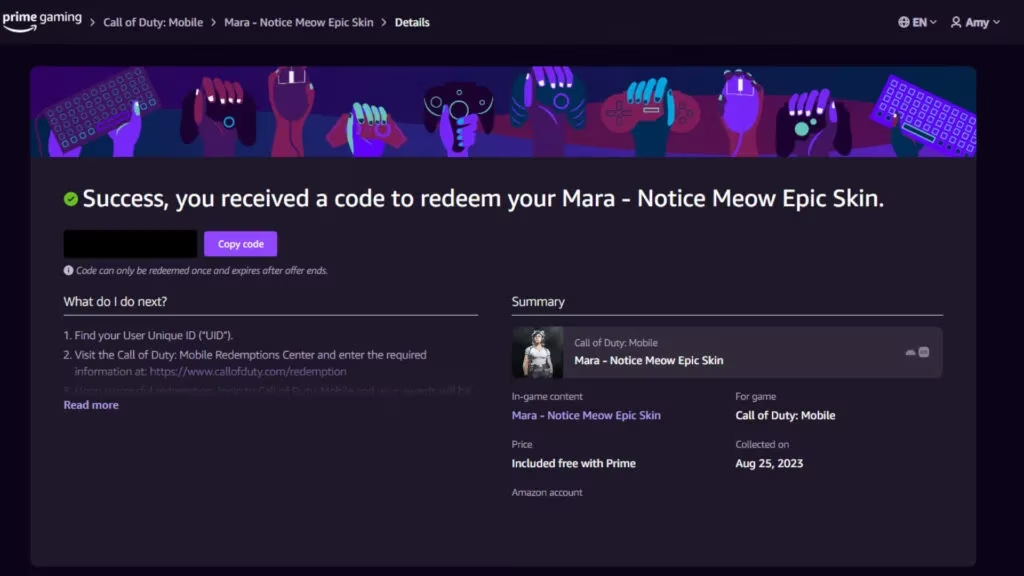
Claim the Content: Click on the skin's offer, which will lead you to a details page. There, you must press the "Get in-game content" or "Claim" button. This action will generate a unique alphanumeric redemption code for your account.
-
Secure Your Code: The website will display your personal code. Copy this code immediately to your device's clipboard. It is a one-time-use key essential for the next step.
🔄 Redeeming the Code in Call of Duty: Mobile
With the code in hand, the next phase takes place within the CoD Mobile ecosystem. The game features a dedicated Redemption Center for processing such promotional codes.
-
Find Your UID: Before redeeming, you need your unique User Identification number (UID). Launch CoD Mobile and tap on your player profile icon, typically located in the top-left corner of the main lobby screen. Navigate to the "Basic" tab within your profile; your UID will be prominently displayed there.
-
Visit the Redemption Center: Within the game, find the Redemption Center. Its location can vary but is commonly found under the "Events" tab or in the game's settings/store menu. Enter the code you copied from Prime Gaming and input your UID when prompted.
-
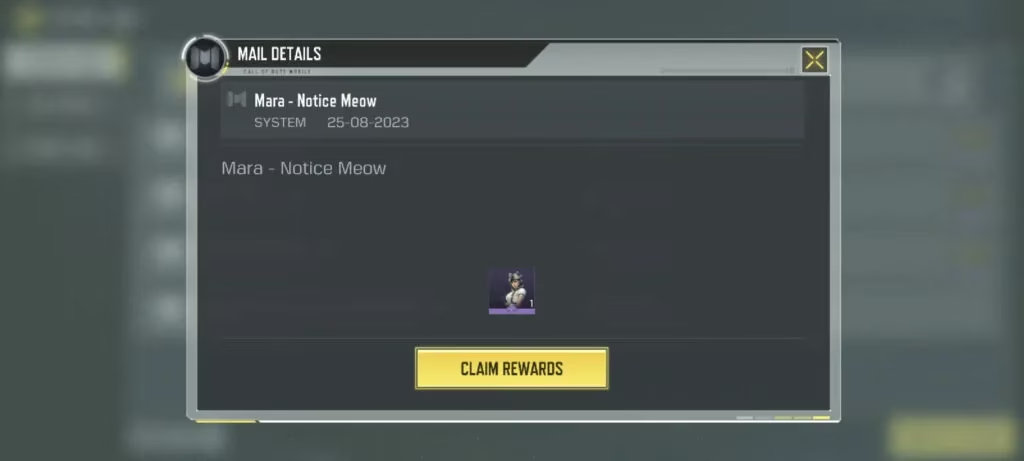
Finalize the Claim: After successful validation, a confirmation message will appear. The Mara Notice Meow skin will then be sent to your in-game mailbox. Simply check your mail in the game to receive and permanently add the skin to your operator collection.
📋 Prime Membership Requirements & Trials
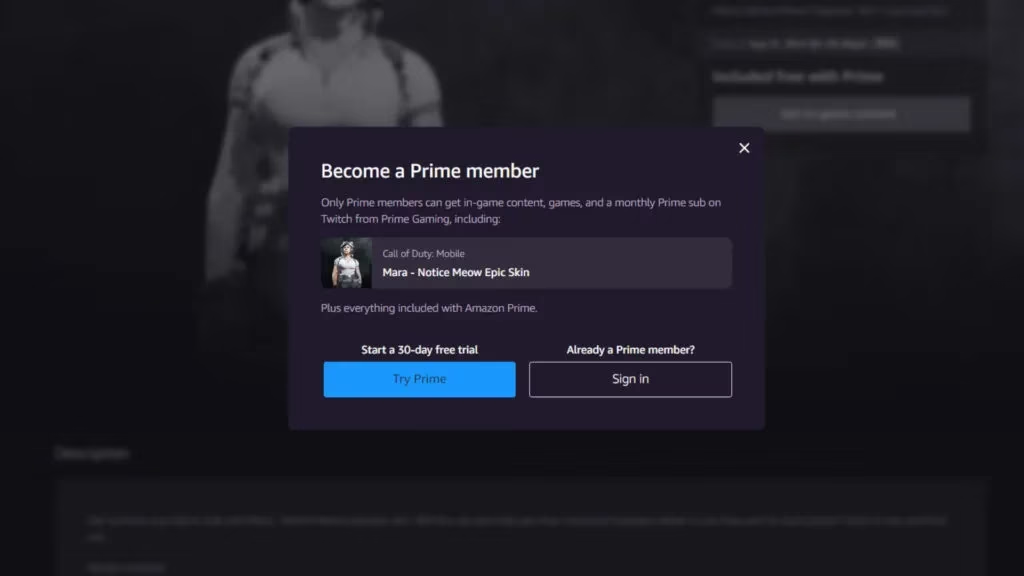
A common point of confusion revolves around the Prime Gaming requirement. To claim any content from Prime Gaming, including this skin, you must have an active subscription to Amazon Prime or Prime Video. The good news is that new users are often eligible for a free trial. Here is how to navigate this in 2026:
| Step | Action | Note |
|---|---|---|
| 1 | Go to the Prime Gaming website. | Ensure you are not already logged into a Prime account. |
| 2 | Look for the "Try Prime" or "Start Free Trial" button. | Eligibility is based on your account history and region. |
| 3 | Follow the registration prompts. | You will need to provide valid payment details. |
| 4 | Activate the trial and immediately visit the CoD Mobile offer page. | Claim the skin as outlined in the steps above. |
⚠️ Important Reminder: If you subscribe solely for the free trial to obtain this skin, remember to manage your subscription settings to avoid being charged when the trial period ends. You can usually cancel immediately after claiming the skin while still retaining access for the trial's duration.
✨ Skin Overview & Final Tips
The Mara Notice Meow skin itself is a complete operator cosmetic. It transforms the operator Mara with a stylized outfit topped off with the iconic cat ears, offering a fun and unique aesthetic on the battlefield. By 2026, this skin is considered a classic cosmetic item. For a smooth experience, players should ensure their CoD Mobile account is properly linked to their Activision account and that they follow the code redemption process promptly, as codes can sometimes have expiration dates. Keeping an eye on official Call of Duty: Mobile and Prime Gaming social channels can also alert you to any recurring offers or similar promotions for other unique operator skins. With this guide, unlocking this memorable skin should be a straightforward and successful endeavor for any dedicated operator.